Letterly Review 2026: Pricing, Platforms, and Verdict
Letterly takes a long, unstructured recording and hands back something shaped: an email, a post, a list, a meeting recap. It runs on iPhone, Android, Windows, Mac and the web, and syncs between them.
We build Wavenote, a Mac dictation app that shows up next to Letterly in some searches and solves a different problem in most of them. Hold us to the checkable parts.
Short answer: Letterly is the right pick if you want a finished document out of 3 minutes of unplanned talking, on whichever device is nearest. It is the wrong pick if what you want is to hold a key and have words appear in the field you were already typing in, on one Mac, for nothing.
What Letterly is
The label “voice app” covers 2 products, and they solve different problems.
One is push-to-talk dictation. You are already in Gmail, you hold a key, you talk, the words land at the cursor and you never leave the page. The other is voice capture. You open an app, talk for 3 minutes with no plan, and it turns the mess into something readable that then lives in a notes list.
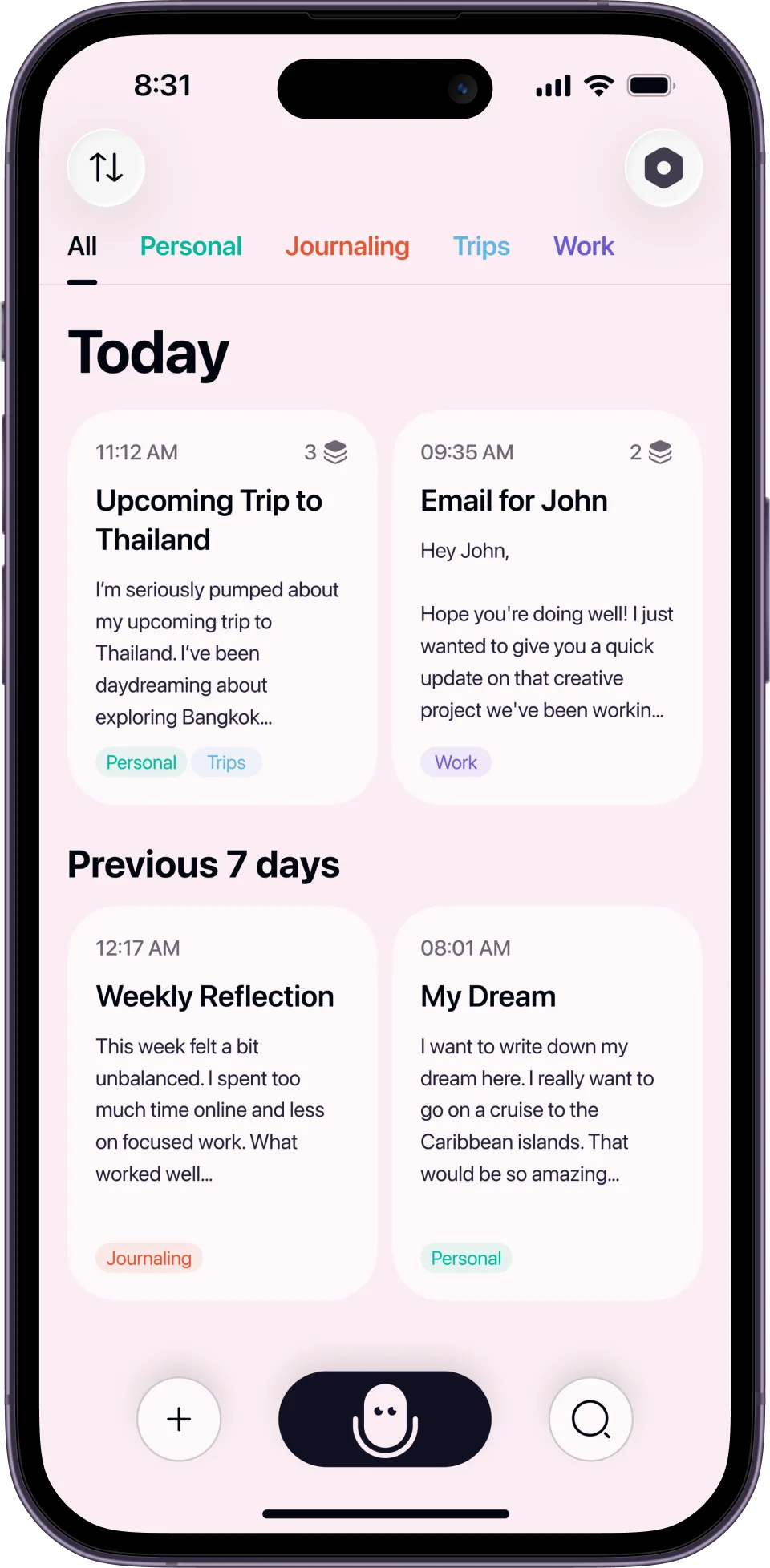
Letterly’s centre of gravity is the second one. Its homepage leads with turning any speech into the text you need, and the main screen is a library of recordings, each rewritten into a style you picked. It does the first thing too: the site says you can speak inside Gmail, Slack or Notion, anywhere you would normally type. But the notes library is where the product’s weight sits, and the Mac app is built around a document window rather than around a hotkey.
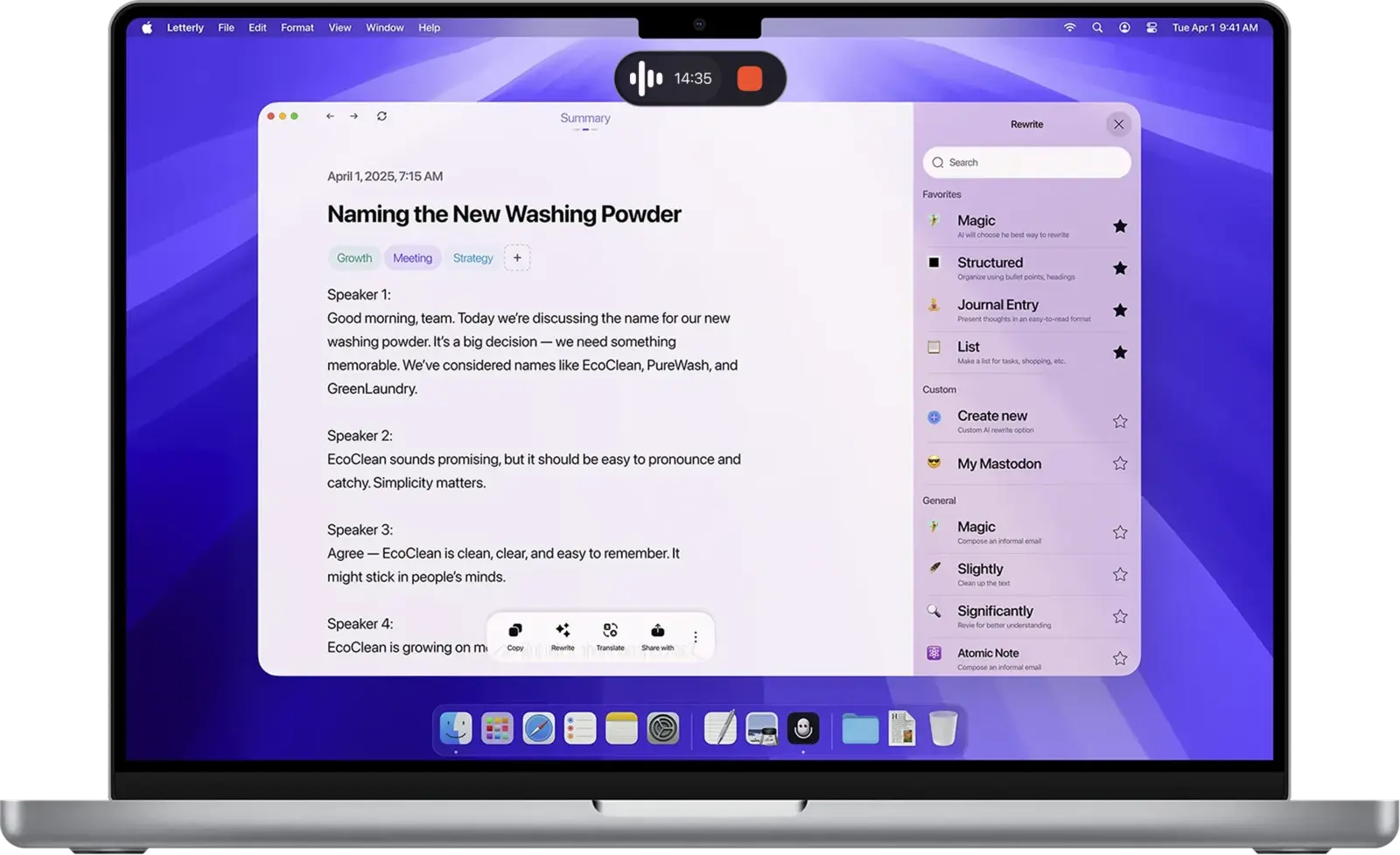
That screenshot is a fair summary of the product. A recording pill, a transcript split across 4 speakers, tags, and a panel of rewrite presets down the right. Nothing in it is a dictation shortcut.
Pricing in 2026
Letterly does not publish prices on its marketing site. Every button reads Start for free, and the numbers appear after you sign in at web.letterly.app. Our comparison data records it as a subscription with a free trial, which matches what the site implies, but if the monthly figure is load-bearing for your decision you will have to make an account to see it.
Worth saying plainly, because it is the one thing a review can usually settle in a sentence.
For contrast, Wavenote’s numbers are on the pricing page without an account: dictation and file transcription are unlimited, and the one subscription is AI rewriting at $4.90 a month or $49 a year, covering every device you own.
The rewrite library is the actual product
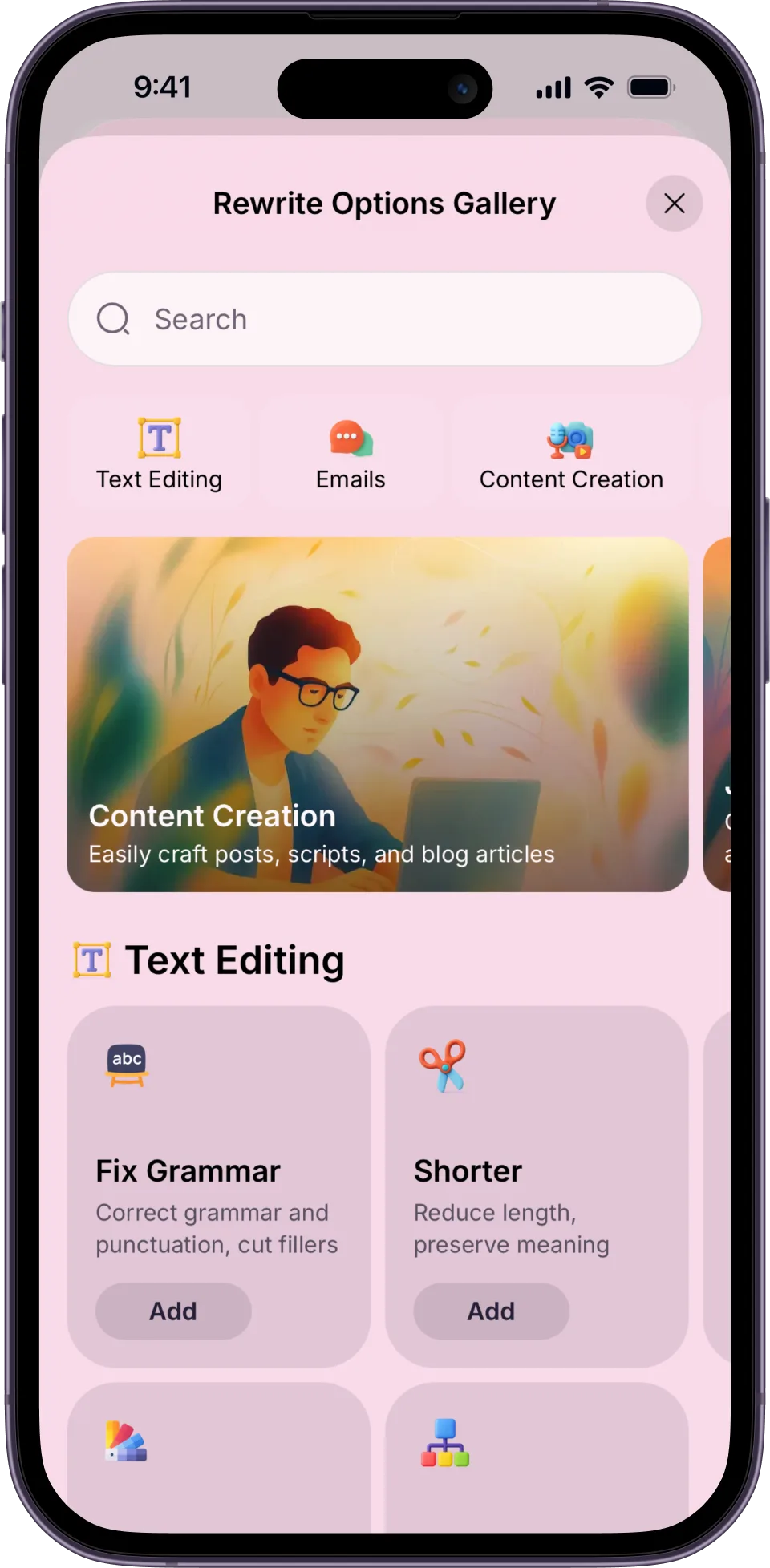
The set of shapes Letterly can pour a recording into is what you are paying for. 27 output formats by our count, plus the option to build your own. The gallery sorts them into text editing, emails and content creation, with presets like Fix Grammar (correct grammar and punctuation, cut fillers) and Shorter (reduce length, preserve meaning).
Around that sit the features a notes product needs. Letterly says it is fluent in 90+ languages, detects them without a setting, and will translate a note into any of them. It records talks up to 90 minutes, splits the transcript by speaker, and lists Zoom, Google Meet, Microsoft Teams and Slack as places it can capture from.
Wavenote has some of that and not all of it. It records a meeting and keeps the notes as files you can open, but it separates you from everybody else rather than naming each voice, and it dictates in 22 languages rather than 90.
Letterly and Wavenote side by side
| Letterly | Wavenote | |
|---|---|---|
| Platforms | iPhone, Android, Windows, Mac, web | Mac, Apple Silicon only |
| Sync between devices | Yes | No |
| Rewrites into set formats | Yes, 27 of them | No, one rewriting pass |
| Notes stored and searchable | Yes | Yes, as files on your Mac |
| Meeting recording with speaker labels | Yes, up to 90 minutes | Records, but no names |
| Languages | 90+, with translation | 22, translation via Apple |
| Types into the app you are in | Yes, per its site | Yes |
| Audio leaves your device | Yes | Never |
| Cost to dictate | Subscription after the trial | $4.90 once, unlimited |
A note on that second-to-last row. Letterly’s homepage lists dictating into any app as a feature, so the honest version is that both products can put text where you are typing. The difference is what happens afterwards: Letterly files a copy of everything, and Wavenote keeps only what you recorded on purpose.
What Letterly does better than Wavenote
It serves a case Wavenote refuses. You talk for 3 minutes with no plan, no idea what shape the output should take, and a finished thing comes out at the other end. Wavenote transcribes what you said. If you said it badly, Wavenote gives you back badly said words, with one rewriting pass available if you pay for it. Letterly is built around the assumption that the raw recording is a draft.
It is on your phone. Most voice notes get made walking, driving or standing in a queue, and none of those involve a Mac. Wavenote has no phone app and no sync, on purpose, which means Letterly covers the moment when the thought actually arrives.
27 formats beat one. Wavenote rewrites in the tone you configured, with per-app routing so a Slack message and an email can sound different. Letterly hands you a gallery, lets you add presets and lets you write your own. If your work is producing content in fixed shapes, that gap is large.
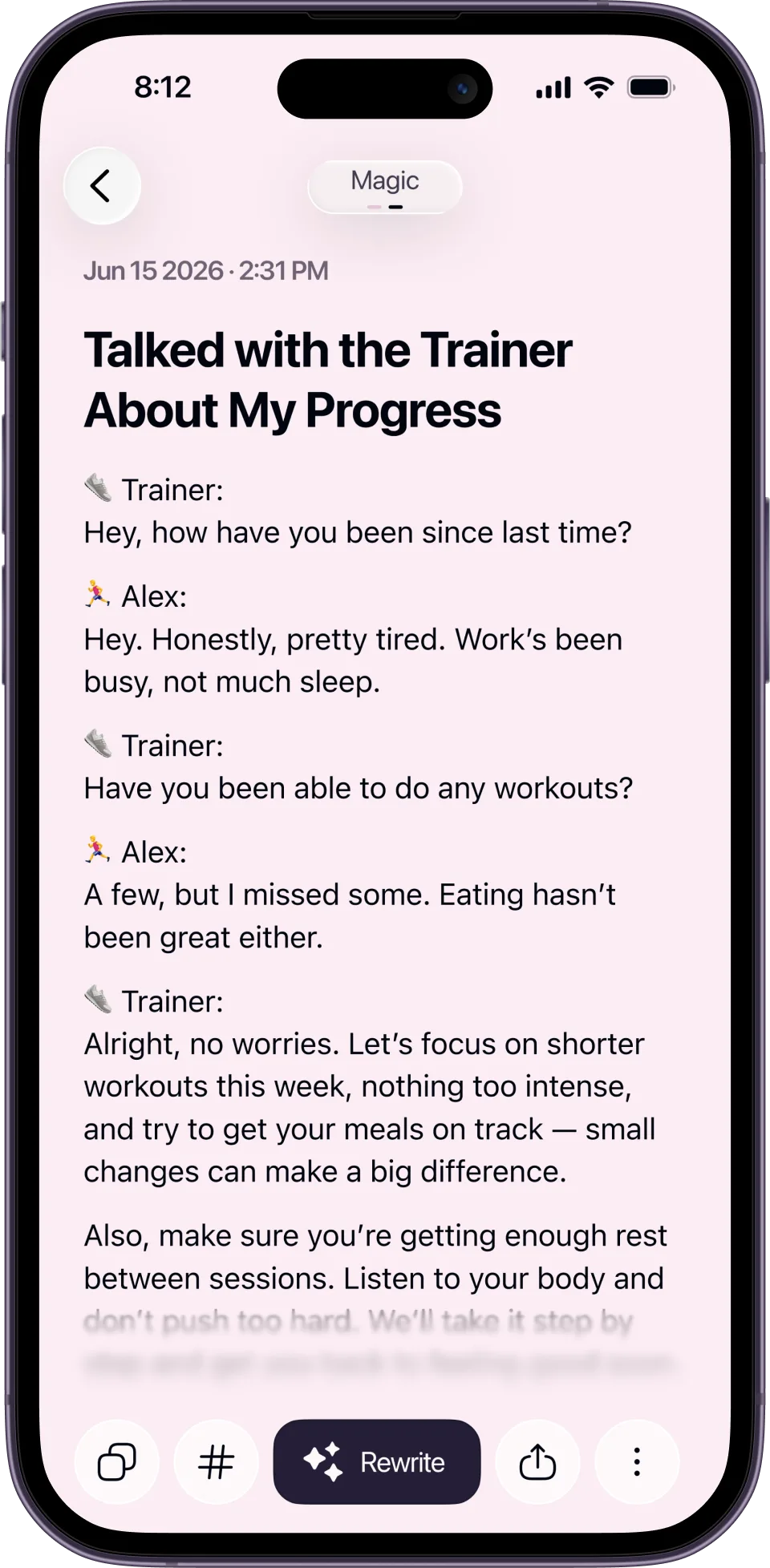
Speakers and reach. Wavenote records a meeting now, from your microphone and your Mac’s own output, but it separates you from everybody else and stops there, where Letterly puts a name against each voice in a Zoom, Meet or Teams call. It does translate a finished dictation on the Mac, through Apple’s translator, but into whatever that translator offers on your machine rather than a list of 90+ it guarantees.
It runs on Windows and Android. Wavenote never will.
Where a Mac dictation app wins instead
The argument for Wavenote is narrow and it is about friction.
If you are already inside the message you are writing, opening a second app, recording, waiting, picking a style and copying the result out is 5 steps where dictation is one. Hold the key, speak, release, the text is in the field. Nothing of it is stored, nothing syncs, there is no note to file later.
Dictation makes zero network calls, which is checked in CI rather than promised in copy, so your voice does not go anywhere. Transcription of audio and video files is also unlimited, with SRT, VTT and Markdown export. The app bundle is 10.9 MB with no background service, no login item you did not ask for and no account, though the speech model is a separate download of about 480 MB, so the install is not 10.9 MB in total.
We have not benchmarked them against each other, so there is no accuracy chart here. Anyone showing you one for these 2 products is showing you marketing.
If you want the points laid out in a grid, the Wavenote and Letterly comparison covers them, including the parts where Letterly wins.
Who should use Letterly
- You think out loud and want the app to impose the structure
- You capture on a phone at least as often as on a laptop
- You need the same notes on iPhone, Android, Windows and the web
- You record meetings and want them split by speaker
- You work across languages and want notes translated into any of 90+
- You publish in repeatable formats and want presets for them
Who should use Wavenote instead
- You are on Apple Silicon and only on Apple Silicon
- You want the text in the field you were already typing in, with no copy and paste
- You do not want a second app collecting a library of your recordings
- You want dictation to be $4.90 once, with nothing recurring
- You want an app that makes no network call unless you turn on rewriting
FAQ
Is Letterly free?
There is a free entry point and the site’s buttons all say Start for free. Letterly does not list plan prices on its marketing site, so the subscription cost only becomes visible once you have signed in.
Does Letterly work on Mac?
Yes. There is a Mac app with a recording pill, a note window and the rewrite panel, and it syncs with the iPhone, Android, Windows and web versions.
Does Letterly work offline?
Its site does not claim on-device processing, and a product that syncs across 5 platforms is doing the work on a server. Assume you need a connection.
What is the best Letterly alternative for Mac dictation?
Depends on which half of the problem you have. If you want notes, styles and a phone app, staying with Letterly is the right call. If you only want spoken words to appear in the app you are already using, a push-to-talk Mac app like ours is a smaller and cheaper tool for that job.