superwhisper Review 2026: Pricing, Models, and Verdict
superwhisper is one of the few dictation apps that will run a speech model on your own machine rather than sending your voice to a server. That has kept it near the top of every Mac dictation recommendation thread for 2 years, and in 2026 it has grown into Windows and iOS as well.
We build Wavenote, which competes with it. So take the framing for what it is, and hold us to the parts that are checkable.
Short answer: superwhisper is the right pick if you want control over which speech model runs, if you want a meeting summarised inside the same app, or if you work across more than one operating system. It is more app than most people dictating into Slack actually need, and you pay for the surplus either monthly or as a lifetime licence.
What superwhisper is
It is a push-to-talk dictation layer for your whole machine. You hold a shortcut, speak, release, and the text goes into whatever app has focus. Underneath, it runs OpenAI’s Whisper family locally, with a choice of model sizes, and it will also call out to cloud models if you would rather do that.
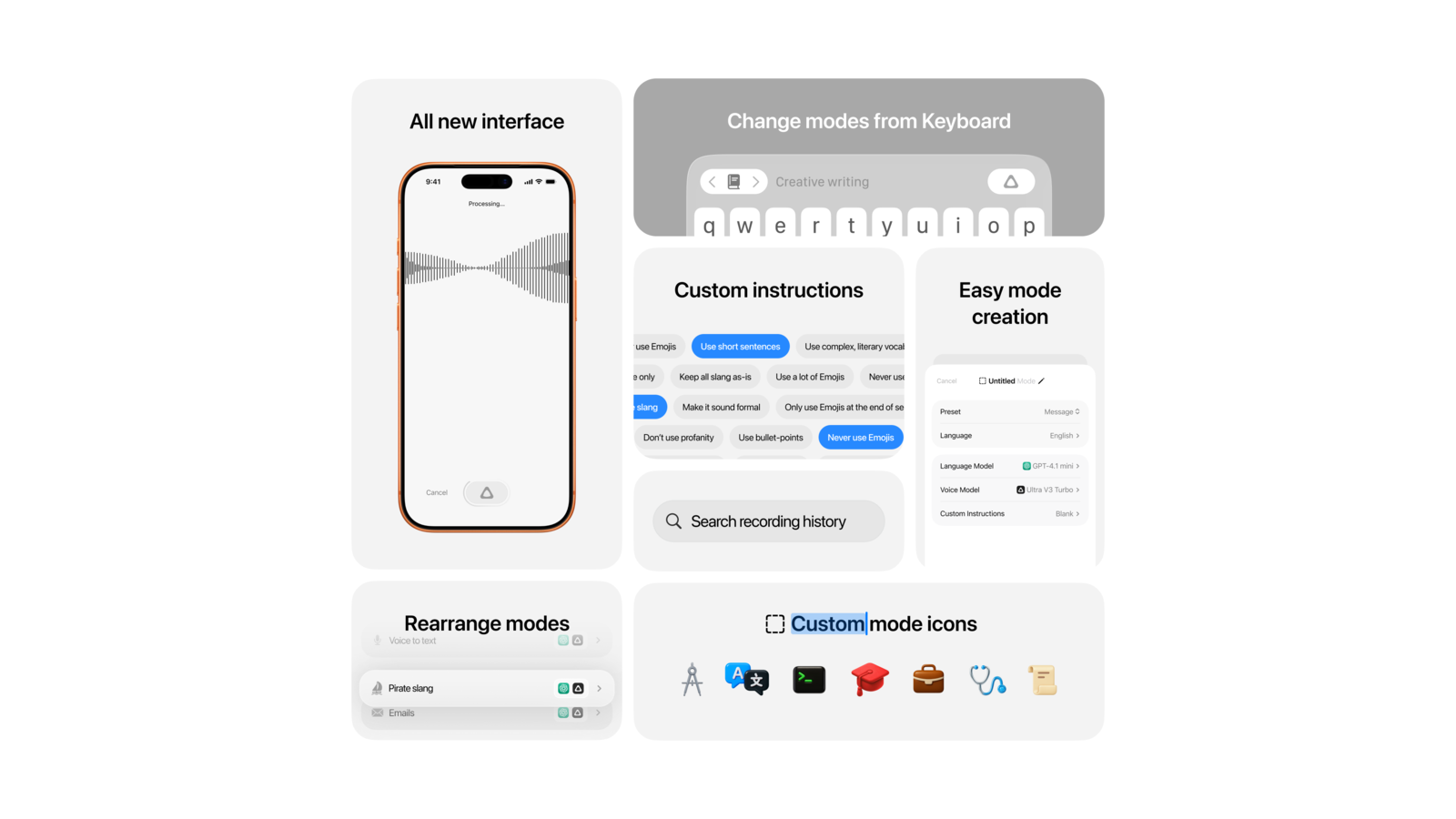
The part people underrate is how configurable it is. You can add your own vocabulary so it stops mangling names and acronyms, set different behaviour per app, and bring your own API keys for the cloud models it supports.
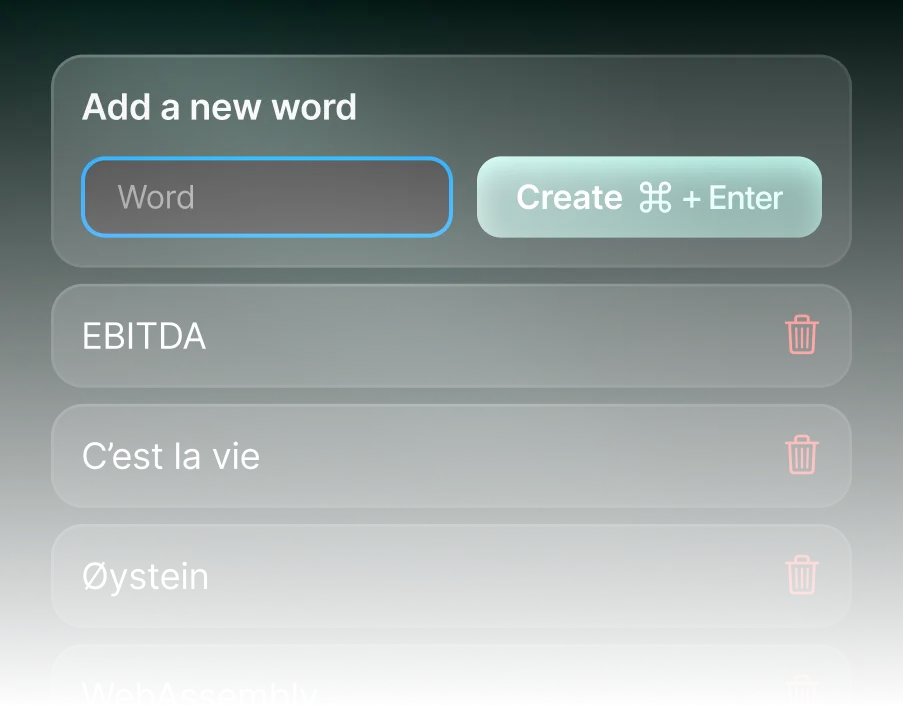
That vocabulary list is a good illustration of who the app is for. Somebody dictating “EBITDA” and “Øystein” in the same week is doing real work in it, not trying it out for a fortnight.
Pricing in 2026
superwhisper has a free tier, which is worth knowing before you assume it is a paid-only app. You get 15 minutes of the Pro features, after which the basic features stay available permanently.
Pro is $8.49 a month, with 2 months free on annual billing and a student discount. There is also a one-time lifetime licence, which the site marks as its most popular option, and custom enterprise pricing for teams.
If you dictate every day, the lifetime licence is the sane route and the monthly price stops mattering. If you dictate twice a week, you will notice you are paying a subscription for something you use like a utility.
Model choice is the real feature
Most dictation apps decide the accuracy and speed trade-off for you. superwhisper hands it over.
Bigger Whisper checkpoints transcribe more accurately and take longer, and on a laptop they cost you battery. Smaller ones come back almost instantly and make more mistakes on names and technical words. Which one is correct depends entirely on whether you are drafting a message or transcribing a research interview, and superwhisper lets you make that call per situation.
It also runs on Intel Macs through its cloud models, which matters more than it sounds: a lot of perfectly good 2019 and 2020 machines are still in daily use, and most of the newer on-device dictation apps have dropped them without saying so.
| superwhisper | Wavenote | |
|---|---|---|
| Runs the model on your Mac | Yes | Yes |
| Choose your own model size | Yes | No |
| Cloud models with your own API key | Yes | No |
| Windows and iOS | Yes | No |
| Intel Macs | Yes, via cloud models | No, Apple Silicon only |
| Records and summarises meetings | Yes | Yes, summary in Wavenote+ |
| Custom vocabulary | Yes | Yes |
| Cost to dictate | Free tier, then $8.49 a month or lifetime | $4.90 once, unlimited |
| Cost to transcribe a file | Paid tier | $4.90 once |
What superwhisper does better than Wavenote
There are 4, and none of them are close.
It runs where Wavenote does not. Windows, iOS, and Intel Macs. Wavenote is Apple Silicon only and will stay that way. If your working day crosses 2 operating systems, this comparison is already over.
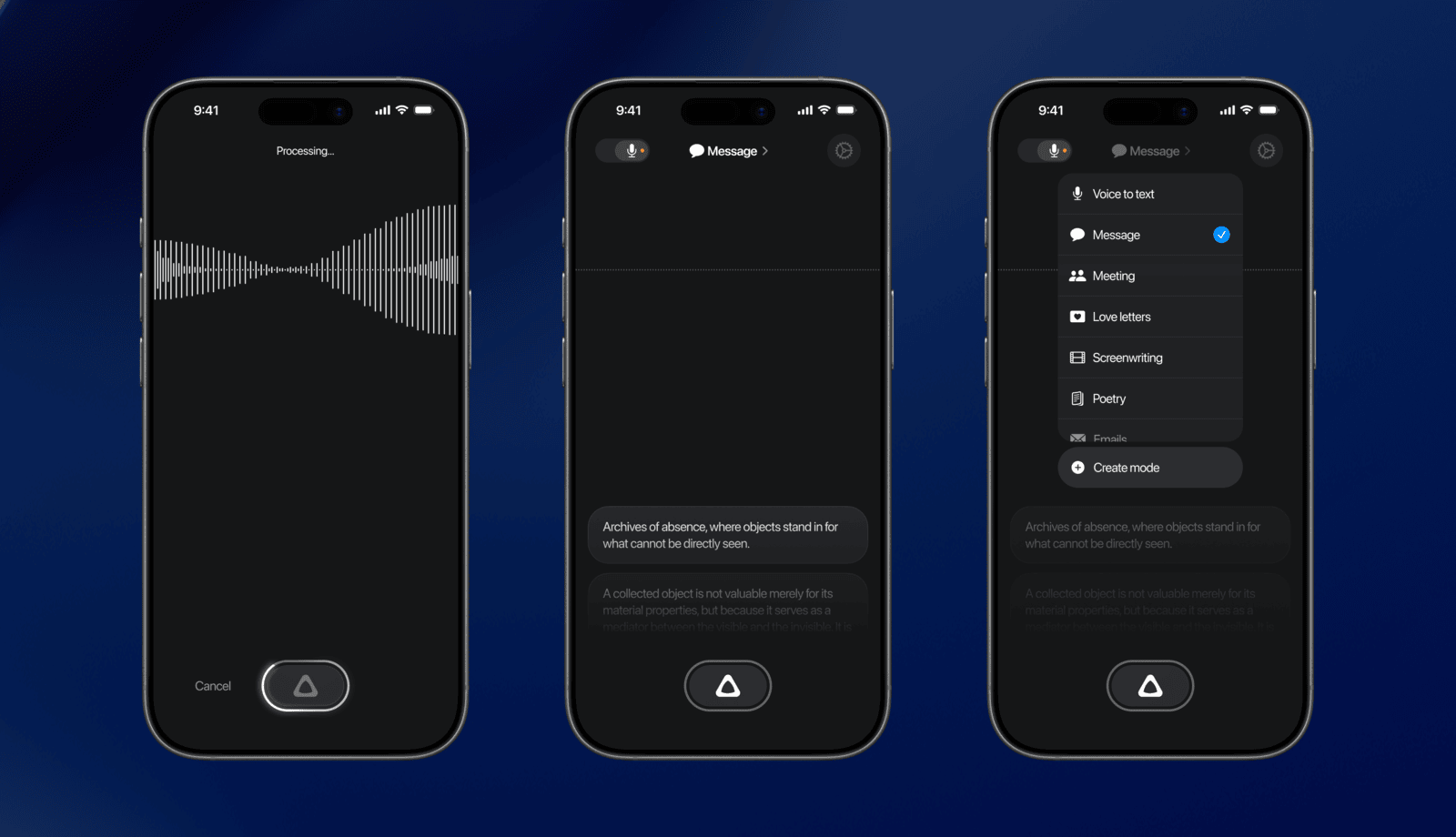
It has been recording meetings for longer. Both apps record one now. superwhisper’s Meeting Mode came first and summarises inside the same app, while Wavenote puts a name against nobody and only knows you from everybody else. superwhisper does not say what its capture uses; Wavenote asks for the permission macOS calls System Audio Recording Only and never for your screen.
You choose the model. Wavenote ships one model per language and does not expose the choice. If you want to run a large Whisper checkpoint and wait longer for a better transcript, superwhisper is built for exactly that and Wavenote simply cannot do it.
It supports far more of the AI plumbing. Bring your own keys, pick your provider, swap models. Wavenote’s rewriting goes through one proxy and that is the only option.
Where a smaller app wins
The case against superwhisper is not that it is bad. It is that most people dictating into a browser are buying a workstation when they wanted a pen.
Wavenote does one job: hold a key, speak, the words appear. Transcription is unlimited, including audio and video files with SRT, VTT and Markdown export, and Dictation makes no network call at all. That last part is checked in our CI rather than promised in marketing copy.
The app bundle is 10.9 MB with no background service, no login item you did not ask for, no account, and nothing in the Dock. The speech model is a separate download of about 480 MB, so the install is not 10.9 MB in total, but nothing is running when you are not dictating.
We have not benchmarked superwhisper against Wavenote, so there is no CPU chart here. Plenty of blogs will show you one. Ours would be marketing dressed as measurement.
If you want both side by side on the points that matter, the Wavenote and superwhisper comparison lays it out, including the parts where superwhisper wins.
Who should use superwhisper
- You work on Windows or iOS as well as a Mac
- You are on an Intel Mac
- You record meetings and want them written up
- You want to pick your own model, or run cloud models on your own API keys
- You dictate long-form and care more about transcript quality than about latency
Who should use Wavenote instead
- You are on Apple Silicon and only on Apple Silicon
- You want dictation to be $4.90 once rather than a subscription
- You transcribe files often and do not want that behind a paid tier
- You want an app that makes no network call unless you explicitly turn on rewriting
- You would rather have one good default than a settings panel
FAQ
Is superwhisper free?
There is a free tier. You get 15 minutes of the Pro features, then the basic features remain available permanently. Full functionality needs Pro at $8.49 a month or the one-time lifetime licence.
Does superwhisper work offline?
Yes, when you are using its local models. Its cloud models and any bring-your-own-key providers need a connection, and Intel Mac support runs through those cloud models.
Does superwhisper send my voice to a server?
Not when you are running a local model. If you select a cloud model or use your own API key, the audio or the text goes to that provider, which is the trade you are making for their model.
Is there a cheaper superwhisper alternative for Mac?
Several, including ours. The honest filter is whether you need the features you would be dropping: model choice, meeting recording, Windows and iOS, Intel support. If you need none of them, you are paying for surplus. If you need one of them, price is the wrong thing to optimise.